
OfficeSuite Pro + PDF
MobiSystemsBusiness
4.57.99K Reviews
- Version
- 14.4.51693
- Installs
- 1.00M
- Age Rating
- Everyone
Screenshots

Our Review of OfficeSuite Pro + PDF
 Analysis by Appyee
I find a mobile office suite most useful when it reduces the number of handoffs in a workday: opening a document, making a sensible edit, checking a PDF, and getting back to the task without reaching for a computer. OfficeSuite Pro + PDF brings word processing, spreadsheets, presentations, and PDF tools together, so I can handle those jobs in one place. It is a business app from MobiSystems, and its broad toolset makes it most appealing to people who regularly receive several kinds of office files on a phone or tablet.
A practical routine for mixed files
My best advice is to treat the app as a working desk rather than a replacement for every desktop task. Start with the file you actually need, make the specific change that is appropriate for a small screen, then check the finished document in the format your recipient expects. The appeal is not simply that several file types are supported; it is that switching from a spreadsheet to a presentation or PDF does not require opening a different office app each time.
That matters in ordinary situations. Imagine a colleague sends a spreadsheet before a meeting, then asks for a signed form afterward. I can review the figures, make a modest correction, move to the PDF, and annotate or sign it without changing apps. I would still save detailed layout work for a computer, but this kind of short, practical sequence is where an all-in-one mobile suite earns its place.
Settings and habits worth checking
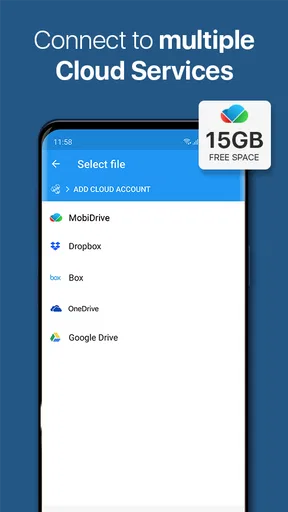
The app offers customization, but I would keep the first setup focused: connect only the cloud services you actually use, and make a habit of opening files from their normal home rather than creating unnecessary duplicate copies. Google Drive, Dropbox, and OneDrive are supported, which is useful if work and personal documents already live in different places. A little organization up front makes it easier to tell which copy is current.
Offline editing is especially useful when a commute, a weak connection, or a meeting room makes internet access unreliable. I would open important files before going offline, make changes deliberately, and check that they have synchronized after reconnecting. That last check is a small but valuable habit: it helps avoid assuming an edit has reached the cloud when it is still only on the device.
For PDFs, decide what the next person needs before marking up a file. A signature may be all a form needs, while a review copy may benefit from annotations that point to specific passages. Keeping comments purposeful makes a document easier to hand back, and checking the final PDF before sharing helps catch an accidental mark or a change that did not land as intended.
Faster patterns for everyday work
Experienced users can save effort by batching related tasks. Rather than opening a document, leaving the app to find a separate PDF tool, and then returning to the original file, handle the document and its PDF companion in one sitting. For a class assignment, for example, I might make a quick text correction, inspect the exported or received PDF, and add a note to the version intended for feedback. The time saved comes from fewer context switches, not from pretending a phone is as comfortable as a full keyboard.
It also helps to distinguish between edits that are safe on a small screen and edits that deserve a larger display. Correcting a sentence, adjusting a basic format, or checking a figure is a reasonable mobile task. Reworking a long report with intricate page layout is more demanding: small controls and limited screen space make it easier to overlook spacing or pagination. I use the phone for the quick pass and reserve the final visual review for a larger screen when the document’s appearance matters.
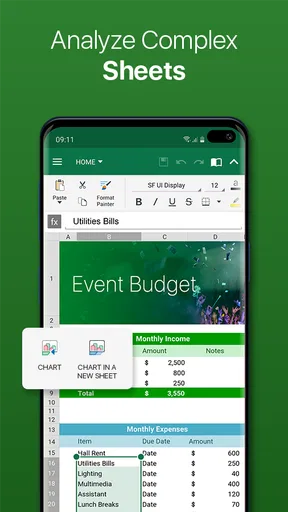
Spreadsheets call for a similar discipline. A quick review or a small correction can be convenient on the go, but I would take extra care before changing formulas or restructuring a sheet. Before sending it back, revisit the relevant cells and confirm that the result still makes sense. A mobile edit can be useful without being the right setting for a complex analysis.
Where the all-in-one approach has limits
Having Word, Excel, PowerPoint, and PDF capabilities together is convenient, but breadth does not make every task equally comfortable. A dedicated PDF reader may suit someone who mainly reads long files, while a desktop office suite is a better choice for heavy document production, complex spreadsheet work, or precise presentation design. If you only need one narrow function, this app’s wider toolkit may be more than you want to learn or pay for.
There is also a difference between being able to open a file and being able to reproduce every detail exactly on a phone. When a document uses complex formatting, I would inspect the result rather than assume it will look identical across devices. That is a sensible precaution with mobile office work in general, and it matters most when sending a polished document to someone else.
The purchase decision deserves a careful look, too. The listed price is $29.99, and in-app purchases range from $2.99 to $49.99 per item. The app has a 4.5 average from around 88,000 ratings, with over 1 million installs, which suggests broad use but does not tell me whether its paid features match an individual workflow. I would compare what you expect to do with the cost before committing, especially if you only edit files occasionally. It is rated for Everyone, and the current version is 14.4.51693, with Android 7.0 as the minimum operating-system requirement.
Who will get the most from it?
I would recommend this suite to people who regularly move between office documents and PDFs while away from a desk: consultants checking a proposal, students reviewing class files, or small-business owners handling forms and basic edits between appointments. It is also a sensible option for someone whose files are split across the supported cloud services and who would rather use one app for several routine tasks.
I would steer away from it if your work depends on extensive formatting, advanced spreadsheet analysis, or highly detailed presentation design. A computer gives you more room to inspect and control those projects. Likewise, if you mainly want to read PDFs and never edit documents or slides, a simpler reader may be easier to live with. The right choice depends less on the number of tools than on how often you will use more than one of them.
A useful companion, not a desktop substitute
OfficeSuite Pro is at its best when I use it to keep everyday work moving: check a file, make a contained change, annotate a PDF, and continue without juggling separate apps. MobiSystems has brought several common office jobs into one mobile workspace, and the combination is convenient when the work is varied but not excessively complex.
My recommendation is to think about your repeatable tasks before buying. If you often need to edit a document and then handle a related PDF, or make quick changes while offline, the combination can justify its place. If your files need extensive desktop-level polish, or your needs are limited to one simple task, another option may fit better. Used with a quick final check and a clear distinction between mobile edits and deep production work, it is a capable everyday tool rather than a magic replacement for a computer.
First Impressions: A Sleek Office Companion
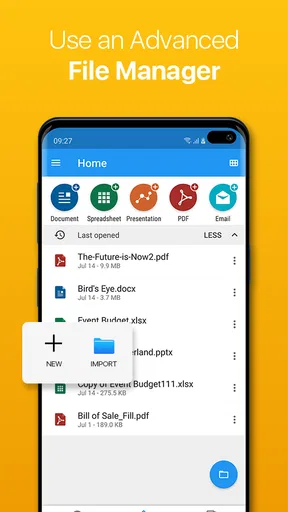
Once you download OfficeSuite Pro + PDF, you'll notice that it's both sleek and user-friendly. The interface is clean, which makes navigation a breeze. You’re greeted with a dashboard where you can easily access your documents, spreadsheets, presentations, and PDFs. It’s like carrying a mini office in your pocket. No more lugging around a laptop for those last-minute edits!
Features Galore
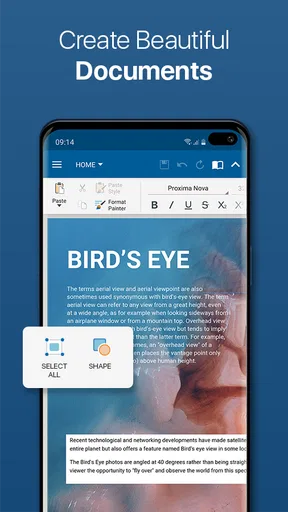
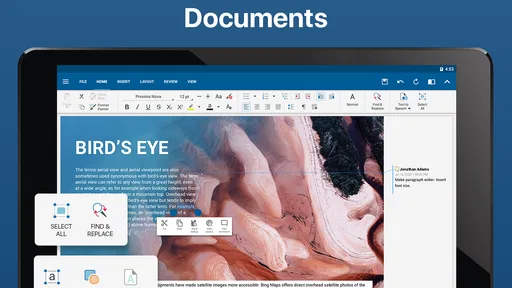
Alright, let’s dive into what this app can actually do. It supports a wide range of file formats, including Word, Excel, PowerPoint, and PDF, which is super handy. You can create documents from scratch or edit existing ones. The editing tools are quite robust, offering everything from basic text editing to advanced formatting options.
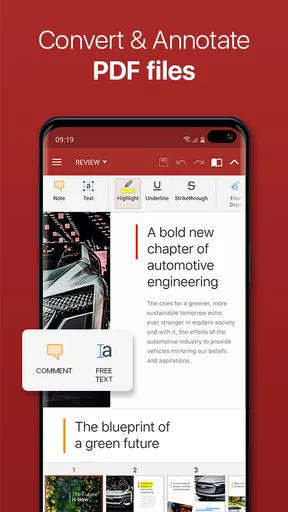
The PDF functionality is impressive. You can annotate, sign, and even convert PDFs to different formats. The app also integrates well with cloud services like Google Drive, Dropbox, and OneDrive. This is a lifesaver for those of us who store files all over the place!
Performance and Usability
The app runs smoothly, with minimal lag even when handling large files. It’s optimized for both Android and iOS, so you’re covered regardless of your device preference. One thing I noticed is the intuitive design; everything is where you’d expect it to be, which cuts down the learning curve significantly.
Another neat feature is the ability to work offline. You can make edits on your commute or while sipping coffee at your favorite café without relying on Wi-Fi. Once you’re back online, sync your changes, and you’re good to go.
What Stands Out
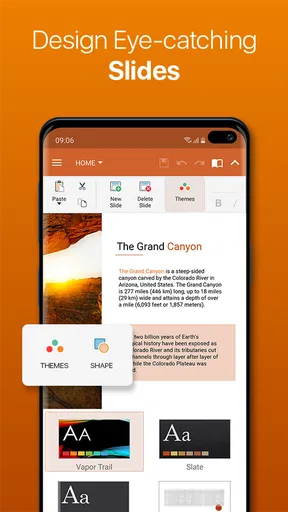
If I had to pick one thing that really stands out about OfficeSuite Pro + PDF, it would be its versatility. Whether you’re drafting a quick memo or preparing a detailed presentation, the app covers all bases. The PDF tools are a huge bonus, especially for someone who deals with contracts and forms regularly.
Another highlight is the customization options. You can tailor the app to your workflow, which is a nice touch. It’s not just about making things look pretty; it’s about enhancing productivity.
Is It Worth It?
Now, let’s talk about the cost. While there’s a free version available, the Pro version is where you get the real bang for your buck. The additional features and ad-free experience are worth considering if you use office apps frequently.
In conclusion, if you’re looking for a reliable and feature-rich office suite on your mobile device, it’s definitely worth checking out. It’s perfect for professionals on the go, students, or anyone who finds themselves needing to edit files on the fly. Give it a try, and you might just find it becoming a staple in your app lineup.
Verdict
Strengths of OfficeSuite Pro + PDF
- Comprehensive document editing features.
- Supports a wide range of file formats.
- Integrates with cloud storage services.
- User-friendly interface and design.
- Includes advanced PDF editing tools.
Limitations of OfficeSuite Pro + PDF
- Some features require a paid subscription.
- Ads can be intrusive in the free version.
- Occasional syncing issues with cloud.
- Limited collaboration features.
- Requires a stable internet connection.
Other Releases by MobiSystems
View All
File Commander Manager & Vault
Business4.2

MobiOffice: Word, Sheets, PDF
Business4.4

Mobi PDF・Editor・Scanner・Reader
Business4.4

Talk & Translate AI Translator
Books & Reference4.5
Similar Picks in This Category
View All
LinkedIn: Community & Network
LinkedIn3.8

Zoom Workplace
zoom.com4.1

Microsoft Teams
Microsoft Corporation4.6

Meta Business Suite
Meta Platforms, Inc.4.6

Webex Meetings
Cisco Systems, Inc.4.5

TeamViewer Remote Control
TeamViewer4.4
Frequently Asked Questions
What features does OfficeSuite Pro + PDF offer?
OfficeSuite Pro + PDF provides a comprehensive suite of tools for creating, viewing, and editing documents, spreadsheets, and presentations. It also supports PDF editing, allowing users to annotate and convert PDFs. The app includes cloud integration with services like Google Drive, Dropbox, and OneDrive, making it convenient for accessing files across devices.
Is OfficeSuite Pro + PDF compatible with Microsoft Office files?
Yes, OfficeSuite Pro + PDF is fully compatible with Microsoft Office file formats, including DOC, DOCX, XLS, XLSX, PPT, and PPTX. This compatibility ensures seamless transition and editing of documents created in Microsoft Office, making it a versatile tool for both personal and professional use.
Can OfficeSuite Pro + PDF be used offline?
OfficeSuite Pro + PDF offers offline functionality, allowing users to create, edit, and view documents without an internet connection. This feature is particularly useful for users who need access to their documents while on the go or in areas with limited internet connectivity.
Does OfficeSuite Pro + PDF offer collaboration features?
While OfficeSuite Pro + PDF focuses on individual productivity, it does offer some collaboration features such as sharing documents via links and integrating with cloud services for shared access. However, for real-time collaboration, users might need to consider complementary apps or additional services.
What platforms is OfficeSuite Pro + PDF available on?
OfficeSuite Pro + PDF is available on both Android and iOS platforms. This cross-platform availability ensures that users can access and manage their documents from a variety of devices, providing flexibility and convenience for mobile productivity.
